
How the expert can help.
-
The "Subscription Killers"
These are custom Power Apps designed to replace the expensive, niche software you currently rent.
Examples:
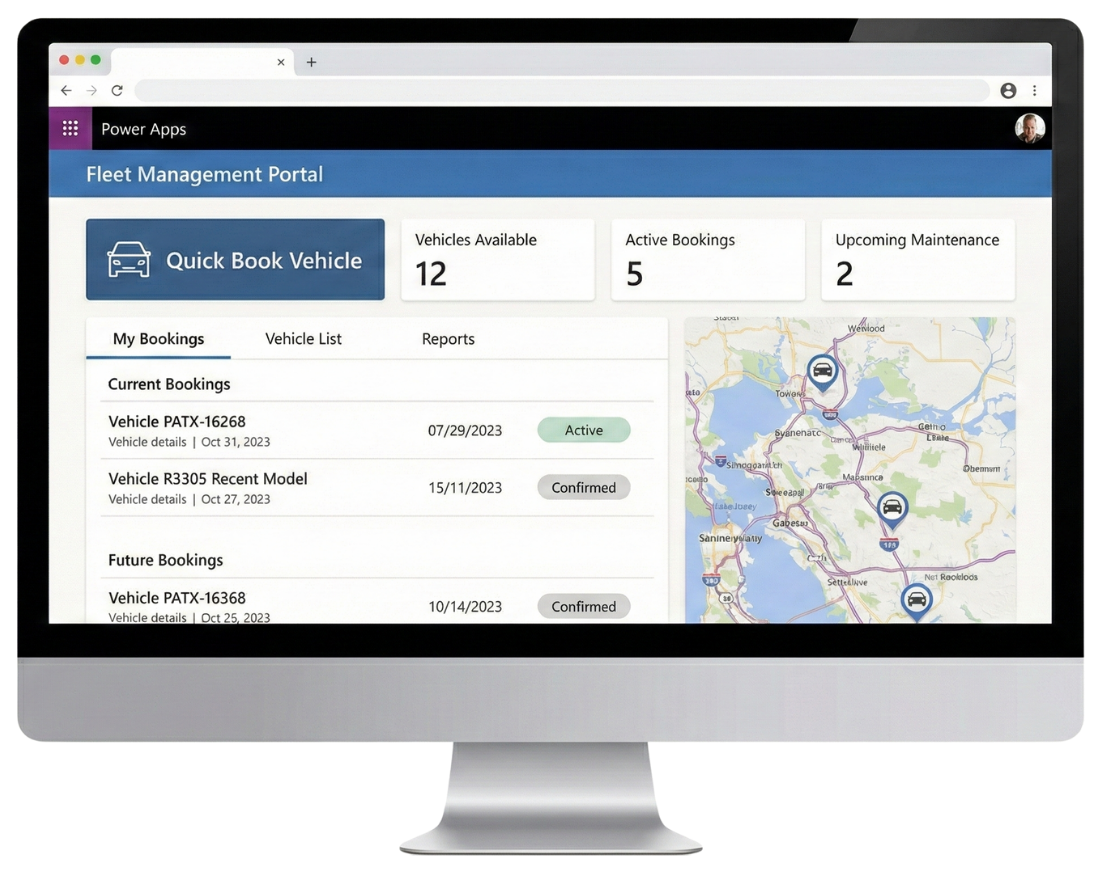
Fleet Management Portal
Replaces: Expensive fleet booking software.
Features: Calendar booking system, mobile app for odometer checks, maintenance logging, automated service reminders.Hazard & Safety App
Replaces: Complex WHS platforms ($5k+/year).
Features: "One-click" reporting from mobile phones. Photo uploads. Automated alerts to the Safety Officer. Incident registers.Visitor & Contractor Management
Replaces: iPad sign-in apps ($200/month).
Features: QR code sign-in, digital induction forms, automated email notifications to hosts.Asset Management
Replaces: Asset tracking SaaS.
Features: Barcode scanning via mobile, location tracking, depreciation logs, check-in/check-out workflows. -
Workflows & Approvals
Automating the paper trails and email chains that slow your business down.
Examples:
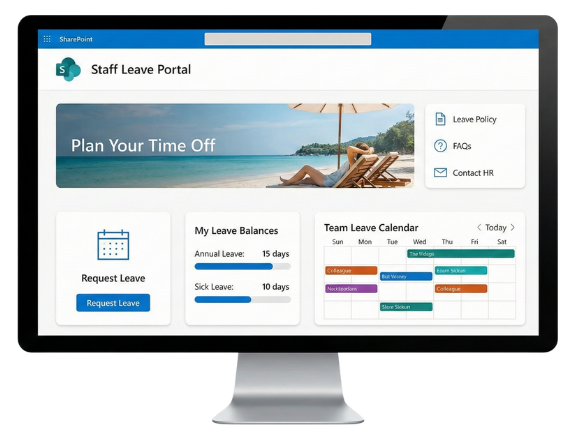
Staff Leave Requests
A simple form for staff. A "one-click" approval email for managers. Auto-updates the team calendar. No paper.Purchase Orders & Expense Claims
Staff photograph receipts via mobile. Managers approve based on dollar-value thresholds. Finance gets a neat export.Excursion & Event Approvals (Schools)
Teachers submit plans. Risk assessments are attached. The Principal approves digitally. The Office gets the final pack.New Starter Onboarding
One form triggers tasks for everyone: IT (setup laptop), Payroll (bank details), and Facilities (security pass). -
Intranets & Hubs
Organising your files so people stop saving things to their desktop.
Examples:
The Staff Hub (Intranet)
A central homepage for news, quick links, and policies. It defaults to their browser homepage.The Board Portal
A secure, locked-down site for Board Members only. Holds meeting packs, the Constitution, and Minutes.Project Hubs
Replace Trello or Asana. detailed task tracking, timeline views, and document storage for internal projects.
Simple systems that make life easier for the whole team.
What we can build together.
-
School Planner
Complements OneSchool for your school-specific administrative processes.
The Visual Term Planner
A live dashboard on the staff homepage. It displays Academic, Cultural, and Sport events so teachers and admin can see the week ahead at a glance.Staff Leave Management
Staff request leave with an approval process. HOD can see their own absent staff calendar. Different views for DP and BM.Student Referral Management
A secure Power App for wellbeing referrals. Teachers log a referral. The relevant staff member gets an instant email. The student wellbeing team views active cases, tracks interventions, and monitors status.
Student Portal
Forms and records for students, including assessment calendar, subject change requests (with approval flow), and student notices.Pedagogical Framework Map
An interactive visual homepage where staff click on parts of the school's teaching model to instantly access the related resources and templates.Smart Resource Library
We killed the "deep folder" structure. Resources are now tagged by Year Level and Subject, making them searchable in seconds. -
Council Central
A single, central point of truth for every staff member in every directorate.
Field Hazard App
A mobile-friendly Power App for outdoor staff. Workers snap a photo of a hazard (e.g., pothole, fallen tree), and it auto-logs the GPS location and sends an instant "New Job" alert to the Engineering team.Asset Checkout Register
A digital booking system for shared council resources like pool vehicles, specialist tools, and keys. Tracks who has an item and when it is due back.Policy & Procedure Hub
A single source of truth for internal compliance documents. Includes "Read and Understand" tracking to prove staff have acknowledged critical safety updates.Councillor Request Portal
A dedicated, secure portal for elected officials to log community issues. Tracks the progress of specific requests without clogging up the public-facing customer service CRM.Secure Contract Libraries
Locked-down SharePoint libraries for commercial-in-confidence tender documents. Strict permission controls ensure only the evaluation panel can access sensitive files. -
Business Ops Engine
An efficient central coordination point for the people and processes side of the business.
New Starter Automator
Onboarding a new employee triggers a chain reaction. One form entry creates an IT ticket (laptop setup), emails Payroll (bank details), and tasks Facilities (security pass).Leave & Expense Management
Staff submit requests via a mobile-friendly form. Managers approve with a single click in their email. Finance receives a clean data export at the end of the month.Staff Directory
A modern, visual "Faceboard" for the intranet. Searchable cards display staff photos, roles, and departments with one-click buttons to email or call them via Teams.Internal Project Hubs
Replaces external tools like Trello or Asana. A centralised workspace for internal projects that tracks timelines, tasks, and budgets directly inside Teams.IT & Facilities Ticketing
A simple internal helpdesk. Staff log issues (e.g., broken chair, software error), and the support team tracks the resolution status from "New" to "Closed."